The Algorithm Games

The Algorithm Games is a ten-lesson computer science class for grades 3 to 5. Each lesson is one idea, like codes, networks, sorting or pathfinding, and kids play a cooperative game that only works if they use it. The last lesson is an escape room. Kids don't use devices.

Connects to CSTA standards

Inside a lesson

What happens in a lesson

Each lesson is one idea. I show it once with everyone, then kids play a game built on it. At the end we talk about where the idea turns up in everyday life and in technology.

  1. Step 1: Make a plan

    Kids use the lesson's idea to work out what to do, one step at a time.

  2. Step 2: Try it

    They follow the plan exactly as it's written and watch what happens.

  3. Step 3: Find the mistake

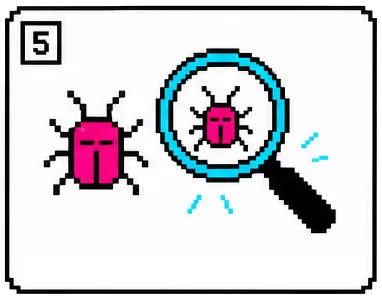
    When something goes wrong, they look for the step that caused it and change just that step. Programmers call this debugging.

The ten lessons

One idea per lesson

Each card says what the idea is and what it helps people or computers do. The last lesson brings the ideas back as an escape room.

  1. Lesson 01

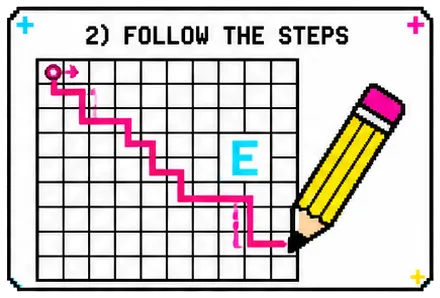
    Follow the Steps

    Algorithms & sequencing

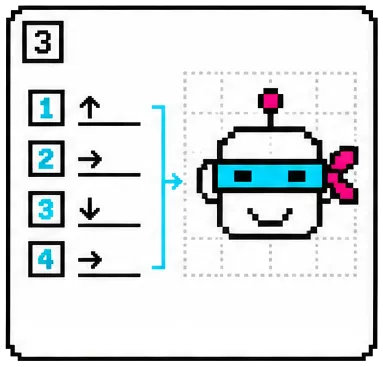
    An algorithm is a list of steps in order. A computer follows them exactly and can't guess what you meant, so every step has to be clear.

  2. Lesson 02

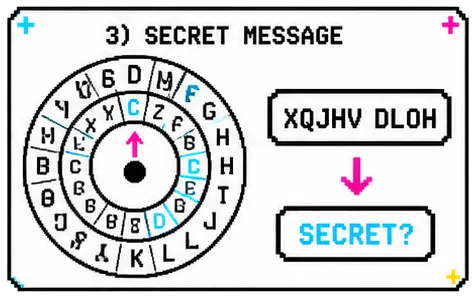
    Secret Messages

    Codes & encryption

    Encryption scrambles a message so only someone with the key can read it. It's part of how passwords and private messages stay private. Websites use much harder math than old letter codes.

  3. Lesson 03

    Who Knows Who?

    Networks & connections

    A network joins devices so messages can travel between them. Routers pass them along, and a backup path keeps them moving if one link breaks. Internet data usually travels in small pieces called packets.

  4. Lesson 04

    Put It In Order

    Sorting algorithms

    Sorting puts things in order by a rule, like ABC order or lowest price first. It takes work first and makes every later search quicker.

  5. Lesson 05

    Make a Choice

    Decision trees & logic

    A decision tree is a map of questions, where each answer picks the next question. A printer help tool works this way to choose its next instruction.

  6. Lesson 06

    Make It Smaller

    Compression & patterns

    Compression describes the same information with fewer symbols, like writing "6 apples" instead of apple six times. It helps devices store less and websites send less, though not everything gets smaller.

  7. Lesson 07

    Find the Way

    Pathfinding

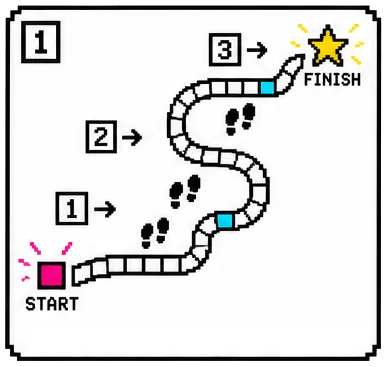
    Map apps and game characters both need a good route around obstacles. Finding one is pathfinding, and "best" can mean shortest, fastest, safest or cheapest, depending on the rules.

  8. Lesson 08

    What Do You Like?

    Recommendations

    A recommendation is a guess based on what people with similar tastes liked. Music and video apps use patterns like this, along with other clues, and their suggestions can still be wrong.

  9. Lesson 09

    Fair or Not Fair?

    Game theory & fairness

    Rules can give one side an advantage even when everyone follows them. Game designers test for that and change the rules that cause it.

  10. Lesson 10 · finish

    Escape the Algorithm!

    All of it at once

    Apps and games are built from many ideas at once. The last lesson is an escape room where each puzzle needs an idea from an earlier lesson.

Why no student devices

Every idea, acted out

Without devices, kids do the computer's job. They follow the steps exactly as a computer would, so they can watch each idea work and check whether it did.

Most lessons also say where the classroom game is simpler than the system it models. Websites, for example, use much harder math than any classroom code to scramble what you type.

The nine ideas

  • Algorithms
  • Encryption
  • Networks
  • Sorting
  • Decision trees
  • Compression
  • Pathfinding
  • Recommendations
  • Game theory & fairness

What it's for

Where each idea turns up

Every lesson names one place the idea shows up in everyday life and one in technology. Here are four.

Lesson 1 · Algorithms

Everyday
A recipe only works if the steps are in order and nothing is left out.
Technology
A self-checkout machine follows a fixed list of steps: scan an item, add its price, ask about a bag, then take payment. It cannot guess what you meant.

Lesson 2 · Codes

Everyday
A diary with a lock stays private because only one person holds the key.
Technology
The padlock beside a web address means the site is scrambling what you type so only the right computer can unscramble it.

Lesson 4 · Sorting

Everyday
A shelf of books in alphabetical order lets you find one without checking every book.
Technology
Tapping "price: low to high" in a shopping app puts the list in order so you can stop looking the moment things cost too much.

Lesson 7 · Pathfinding

Everyday
Walking around a blocked hallway is everyday pathfinding.
Technology
Map apps compare routes and estimated times to help people avoid delays. Game characters also need routes around obstacles.

The last lesson

Every idea comes back in the escape room

Each puzzle in the escape room needs one of the earlier ideas.

The whole class works through it together.

Class details

The practical part

  • Lesson plans

    The curriculum is ten written lesson plans, start to finish.

  • Everybody plays

    The games are cooperative, so every kid takes part and nobody wins or loses. There are no rankings and no prizes for finishing first.

  • CSTA standards

    Each lesson lists the CSTA K-12 computer science standards it connects to, at level 1B, the grades 3 to 5 band.

Every lesson has

  • One computer science idea, and what it helps people or computers do
  • A worked example with everyone before the game starts
  • A cooperative game that only works if kids use the idea
  • One everyday example and one technology example
  • Something to try at home with things you already have

Questions

Questions about the class

Do kids need to know anything first?

No. Each idea starts from the beginning, with a worked example everyone does together.

Do kids use screens?

They don't use devices. I may show a short video on one display at the front, and the games are played away from screens.

What if a kid misses a lesson?

Each lesson has a separate idea and game, so the next lesson starts fresh. The escape room at the end brings the earlier ideas back, and the class works on it together.

Which standards does it connect to?

All ten lessons connect to CSTA K-12 standards at level 1B, and each lesson plan lists which ones.

For older students

Going Live: Vibecode a Website or App

Going Live is a separate course I teach for teens in grades 8 to 12. They build a website or app with AI, publish it online and learn to check what the AI writes. No coding experience is needed.

Visit Going Live

Contact

Ask me about the class

Send me a message if you'd like The Algorithm Games for your co-op or homeschool group, or if you'd like to teach it yourself. You can also ask me about any of the ten lessons.

Contact form

All fields are needed.

I'll reply to this address.

If it's about a group, tell me a little about it, like the grades and how many kids.

This form is for adults, like parents, teachers and co-op leaders.

Privacy

Or email hello@thealgorithmgames.com